Challenge Information
- Platform: OverTheWire (Bandit)
- Difficulty: Easy
- Category: Linux
Overview
Logging in to bandit26 from bandit25 should be fairly easy… The shell for user bandit26 is not /bin/bash, but something else. Find out what it is, how it works and how to break out of it.
NOTE: if you’re a Windows user and typically use Powershell to
sshinto bandit: Powershell is known to cause issues with the intended solution to this level. You should use command prompt instead.
Solution
SSH into machine on port 2220 with password from previous level.
ssh -p 2220 bandit25@bandit.labs.overthewire.org
We get a private SSH key to bandit26 so we can use that to login.
To find out what default shell bandit26 is running we can see the /etc/passwd file.
cat /etc/passwd | grep 26

We see that /usr/bin/showtext is the default shell. Let’s cat that to see what it is doing
cat /usr/bin/showtext
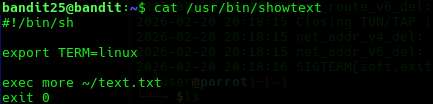
We can see that it executes more ~/text.txt.
more displays text in interactive mode if text fills up more than the entire window. So to get into interactive mode we need to resize our window height.
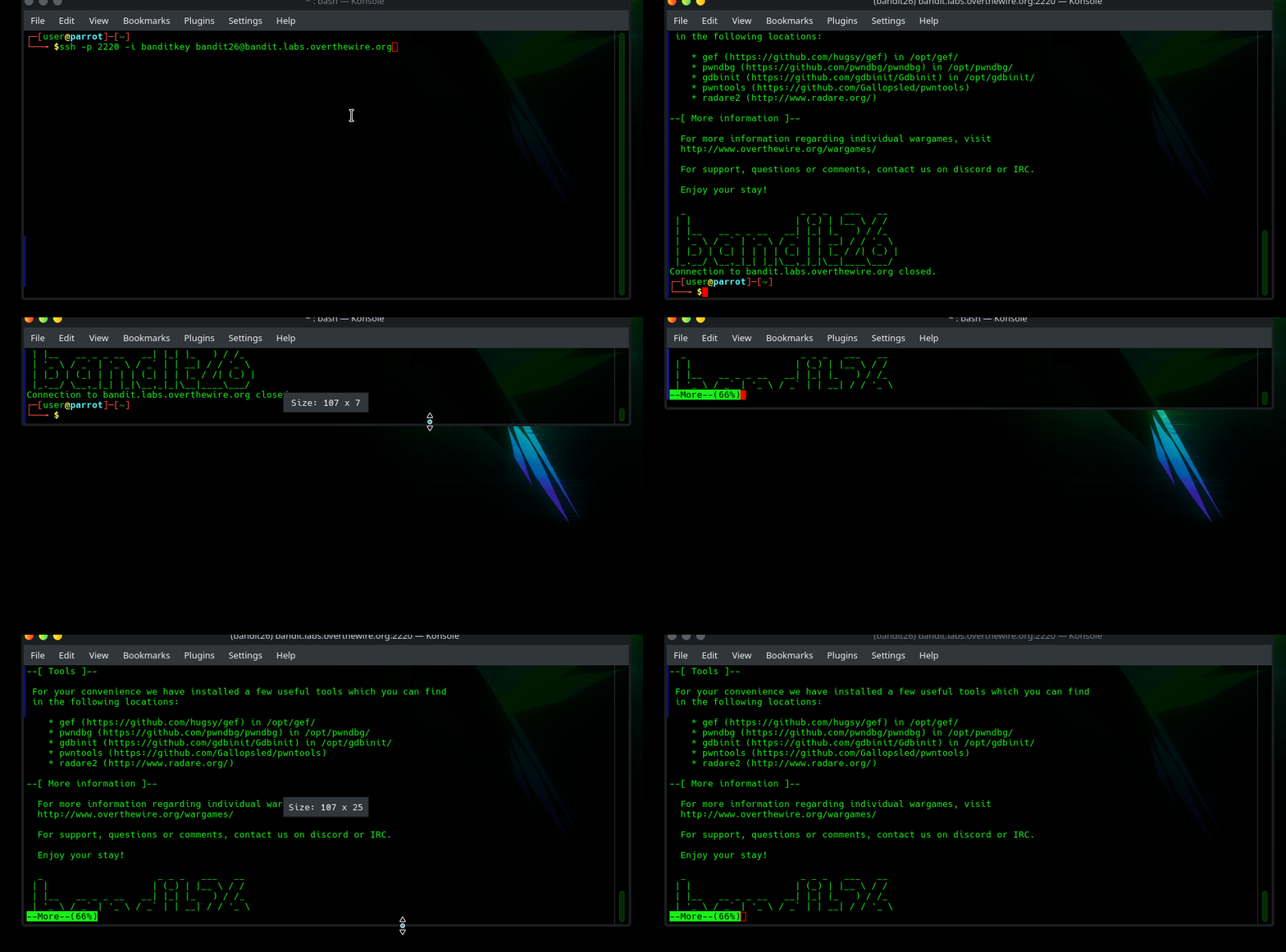 In
In more you can press v to open the file in vim. vim is a text editor but it also enables features such as running interactive shells. By default vim uses the same shell as the active user to change the shell we can run vim command :set shell=/bin/bash and then run :shell to enter interactive shell in vim.
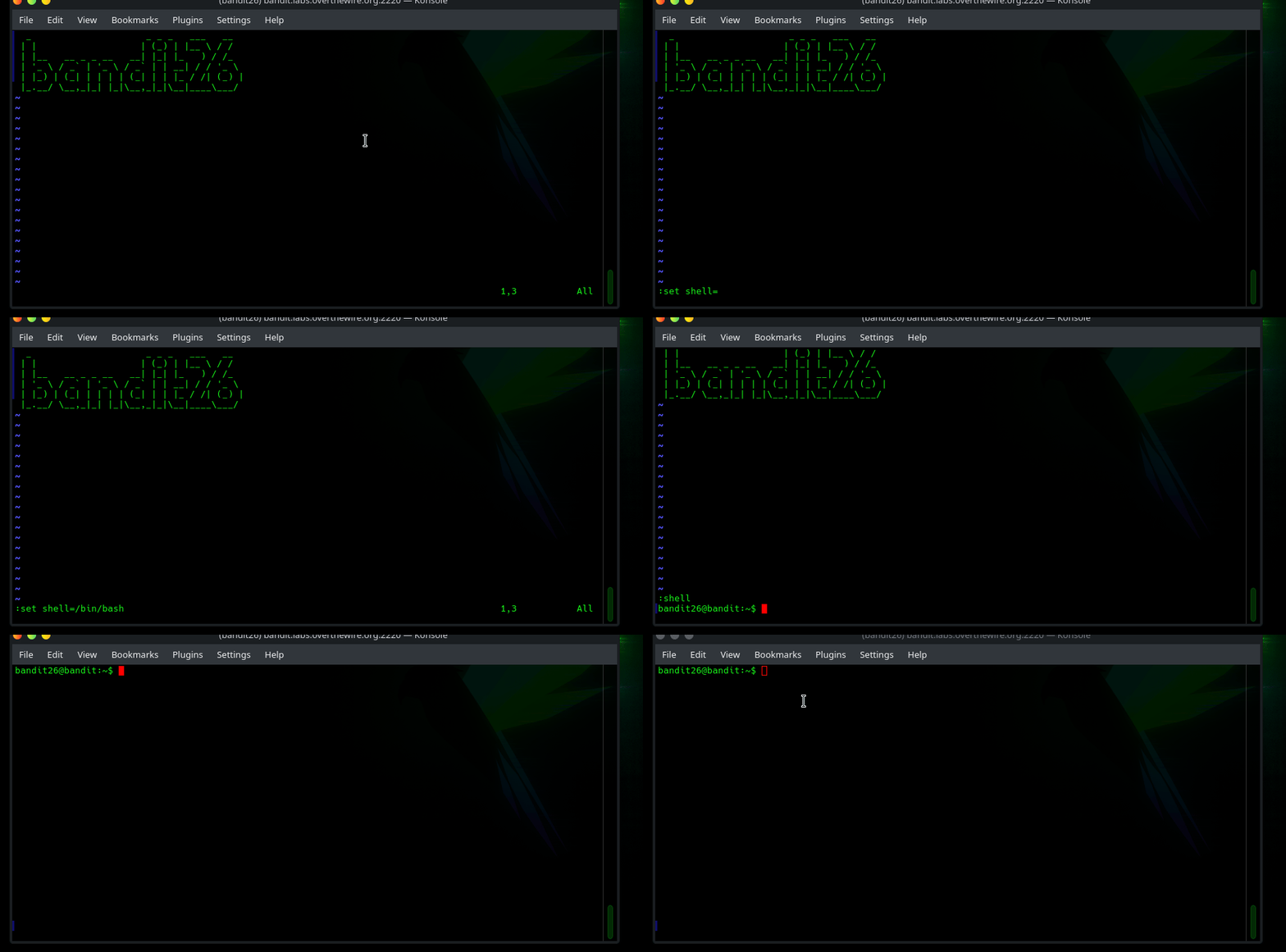
Lessons Learned
- Finding users default shell.
- Certain quirks with
more. - How to change shell within
vim. - How to enter interactive shell in
vim.
Tools Used
sshvimore