Challenge Information
- Platform: OverTheWire (Bandit)
- Difficulty: Easy
- Category: Linux
Overview
The password for the next level can be retrieved by submitting the password of the current level to port 30000 on localhost.
Solution
SSH into machine on port 2220 with password from previous level.
ssh -p 2220 bandit14@bandit.labs.overthewire.org
To begin with we can check and see if port 30000 is open and running by using nmap.
nmap scans an IP address for open ports and displays information about what services are running on these ports.
nmap localhost
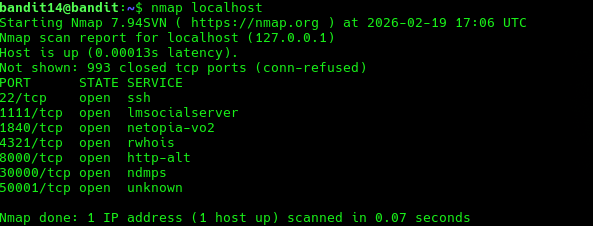
Here we see that service ndmps is running on port 30000 with the tcp protocol. Quick google search gives us that
“NDMP, or Network Data Management Protocol used to transport data between network attached storage (NAS) devices and backup devices.”
We can connect to it using nc or telnet, here I will use nc. nc uses TCP connection by default so we just need to provide port and target IP address which is localhost. Then we can paste in the password and get the next password.
nc localhost 30000

Lessons Learned
- How to scan ports using
nmap. - Connect to port using
nc.
Tools Used
sshnmapnc